Open Source Image Manager for AI Agents

Move beyond scattered files to agentic visual memory

Magpie turns your prompts into organized visual libraries. Collect, tag, search, and browse images with parallel MCP tools that learn from every session.

Get Started
$ curl -fsSL https://raw.githubusercontent.com/HarrisonCUI/Magpie/main/scripts/install-codex.sh | bash

Magpie Architecture: How AI Agents interact with the local visual memory database through MCP tools
Magpie Interface Preview

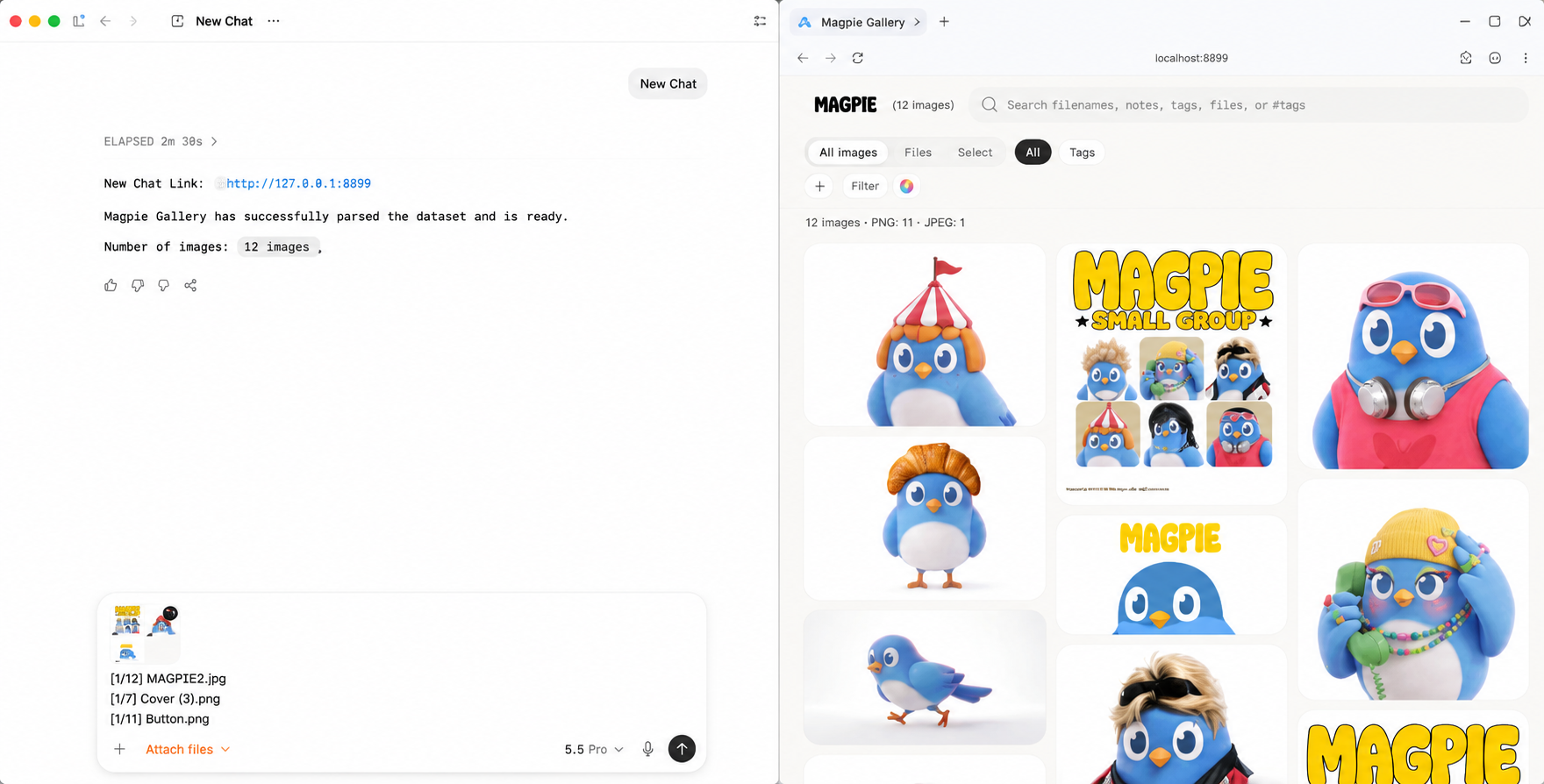
See Magpie in action

Experience the power of local image management seamlessly integrated with your AI workflows.

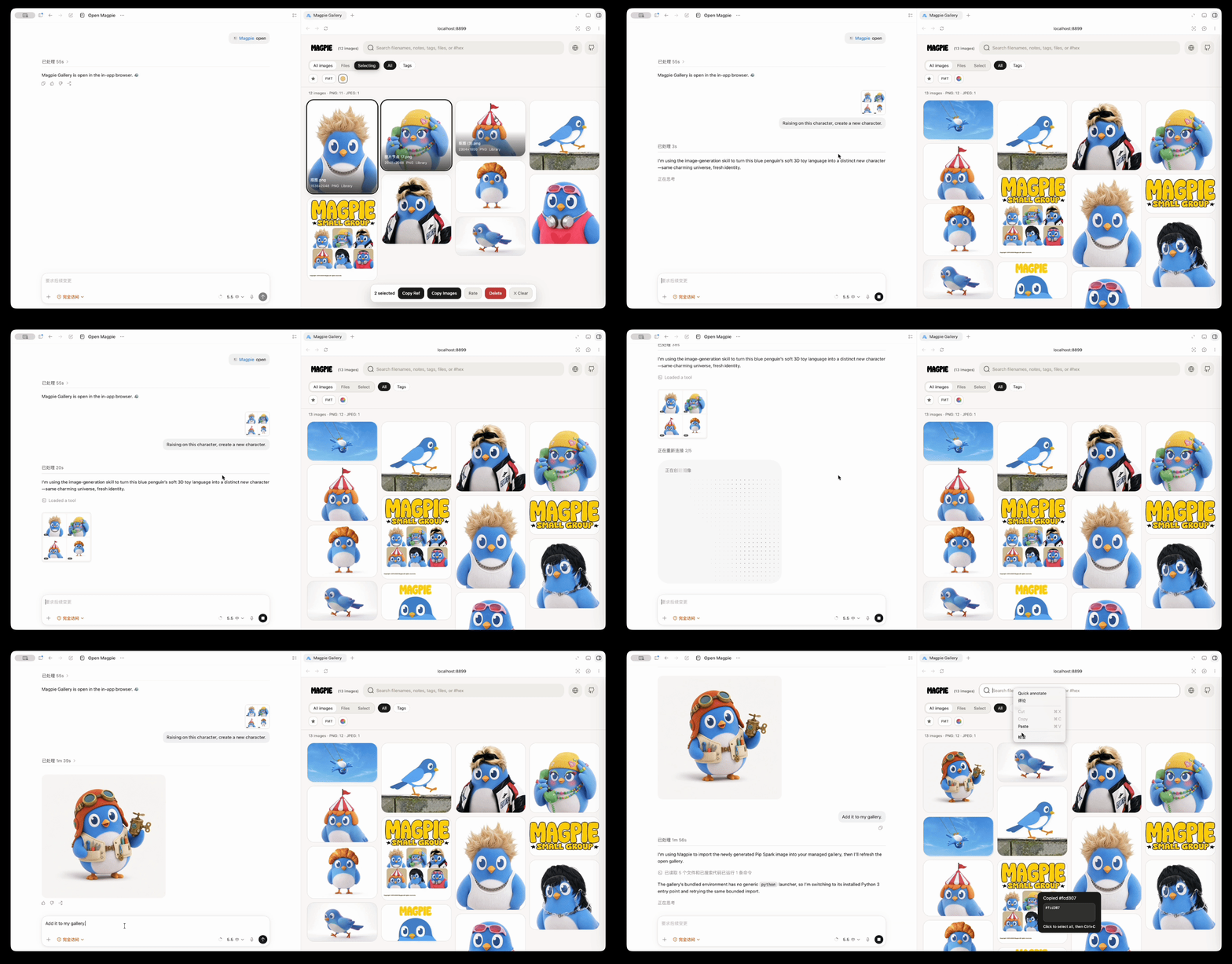
Magpie AI Image Management - Code and Gallery Interaction Demo

Agentic Workflow

Collaborate with code. Select images to instantly generate variations and organize them into your local database.

Magpie Responsive UI - Access Visual Database on iPad and Mobile

Cross-Device Access

Access your entire visual library from your iPad or mobile device anywhere on your local network.

Bring structure to AI vision

Magpie gives your tools and workflows a rich visual memory, helping you catch edge cases and organize assets instantly.

Perceptual & Color Search

Find visually similar images, not just exact copies. Find images by dominant color palette. "Show me all blue-toned photos" — instant.

Short Refs [#33]

Every image gets a stable ref. Copy from gallery, paste in chat, and your agent resolves it instantly.

Web Gallery

Eagle-like waterfall layout at localhost:8899. Browse, search, rate, and organize visually.

Smart Folders

Create, merge, and organize collections. Auto-file unorganized images with AI-powered grouping. Keep your library clean effortlessly.

Core MCP Tools

Everything your agent needs to manage visual assets. Run multiple tools in parallel for complex visual tasks.

add_image

Add images to the library with automatic metadata generation. Pass paths or let the agent fetch from web.

$ Use add_image for "cover.png" and tag it as #hero
get_image_by_id

Retrieve full image data including base64 content using the short reference ID like [#33].

$ Look at [#33] and extract the main color palette
search_images

Search by natural language, tags, dates, or rating. Use complex filters to narrow down results.

$ Search for 5-star photos of "blue birds" from today
similar_search

Find visually similar images using perceptual hashing (pHash) and dominant color matching.

$ Find 3 images visually similar to [#42]

Built for the way you work

Works with Codex, Claude Desktop, Cursor, and any MCP-compatible client. Install in seconds or build a standalone app.

Quick Start

The easiest way: one-command installer

$ curl -fsSL https://raw.githubusercontent.com/HarrisonCUI/Magpie/main/scripts/install-codex.sh | bash
Codex Install

Copy this prompt into Codex:

"Please install the Magpie plugin from https://github.com/HarrisonCUI/Magpie into ~/.magpie/Magpie, not inside my current project. Run ./scripts/start.sh codex and tell me when I should restart Codex."

Trae Install

Copy this prompt into Trae:

"Please install the Magpie plugin from https://github.com/HarrisonCUI/Magpie into ~/.magpie/Magpie, not inside my current project. Run ./scripts/start.sh trae and tell me when I should restart Trae."

VSCode Install

Copy this prompt into Cline / Roo Code:

"Please install the Magpie plugin from https://github.com/HarrisonCUI/Magpie into ~/.magpie/Magpie, not inside my current project. Run ./scripts/start.sh vscode and tell me when I should restart VSCode."

Standalone Desktop App

NEW

Zero environment dependencies. Native UI sharing the same database as MCP plugins. No terminal required for end users.

# 1. Install dependencies
$ pip install -e ".[desktop]"

# 2. Build the app (.app/.exe)
$ ./scripts/build-desktop.sh

Find the built application in the dist/ directory.